One-click export
Copy to clipboard or download, right under the tweet.
Tweet capture & visual rendering
One tweet, one image you can post anywhere.
Works in both Chrome and Edge
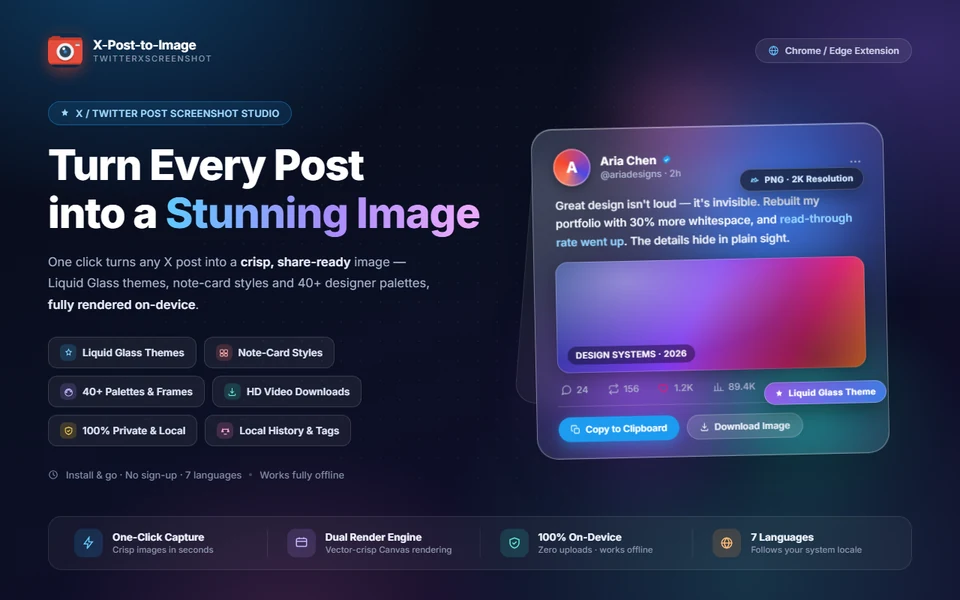
X-Post-to-Image adds two buttons under every tweet: copy to clipboard and download image. One click redraws the post — quotes, long text, image grids, verification badges — as a single image.
Rendering defaults to a programmatic Canvas 2D engine, avoiding the cross-origin image tainting and blurry type that html2canvas is known for; the old pipeline is still available in settings. There are three templates (standard tweet, presentation card, two-column Xiaohongshu), five frames and forty backdrops.
Parsing, rendering and video extraction all happen in the browser. No data is collected and no account is required.
Copy to clipboard or download, right under the tweet.
Programmatic drawing avoids cross-origin tainting and blurry fonts.
Standard, presentation card and Xiaohongshu, with five frames.
Gradients, dark scenes and solid colours, plus liquid and frosted glass themes.
Hover a video tweet to save the original MP4, with no platform watermark.
IndexedDB archive, searchable by author, text or tag, and re-renderable.
Chinese, traditional Chinese, English, Japanese, Korean, French and German, following the browser.
No browsing history or credentials collected; works offline.
| Version | v4.6.0 |
|---|---|
| Platform | Chrome · Edge (Manifest V3) |
| Rendering | Canvas 2D / HTML2Canvas, switchable |
| Local data | IndexedDB (history and tags) |
| Permissions | Read page content on x.com |
| Languages | ZH · ZH-TW · EN · JA · KO · FR · DE |
Install from Edge Add-ons; the same package works in Chrome.
Reload the page and the copy and download buttons appear under each tweet.
Choose template, frame and aspect ratio in the settings panel, then copy or download.